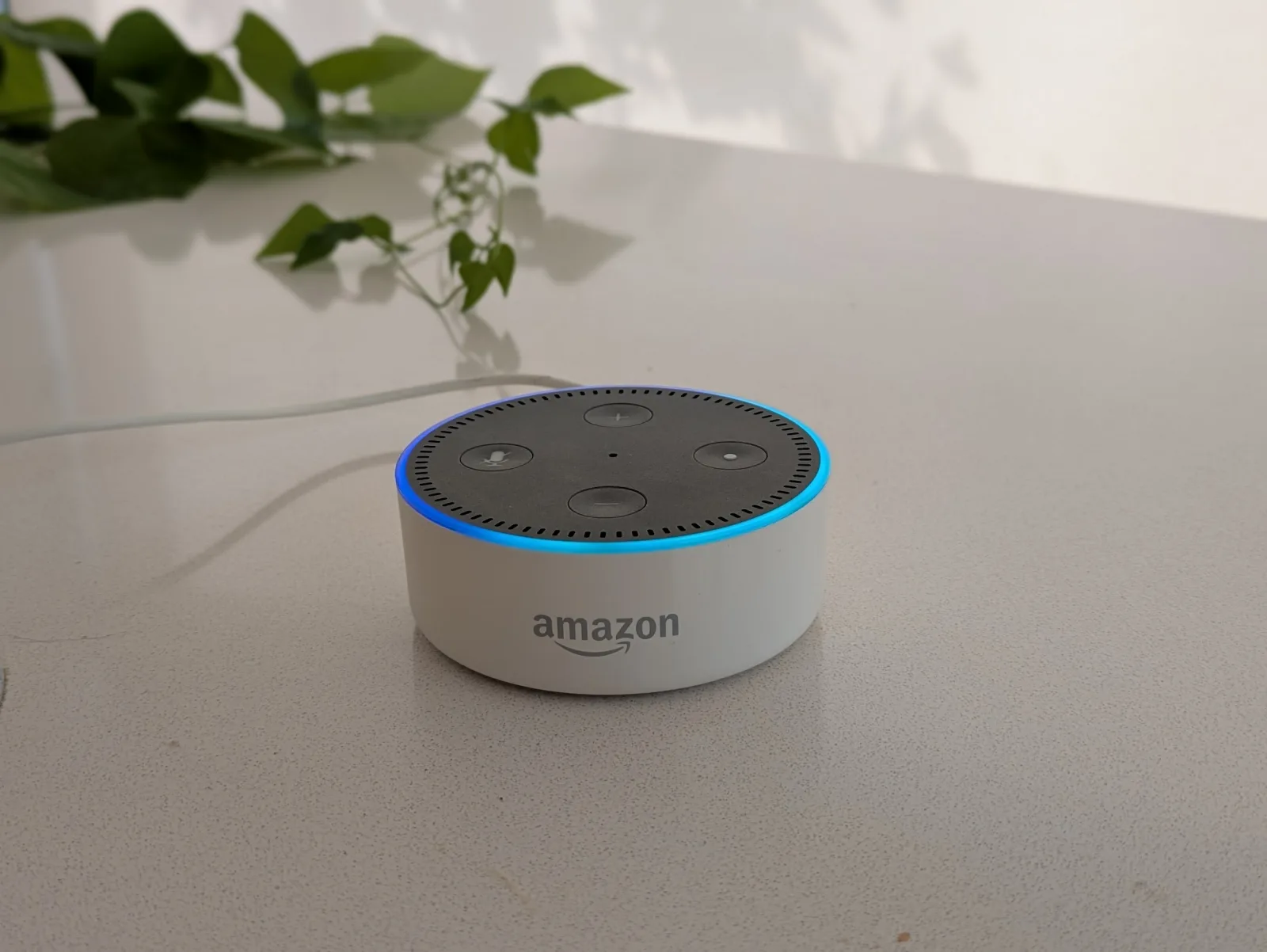
Can a smart speaker actually help an elderly parent?
For an elderly parent in good cognitive health, or in the mild stage of dementia, the honest answer is yes. A smart speaker for seniors — most often an Amazon Echo Dot or Echo Show — can handle reminders, music, radio, family calls, and a photo-frame display. Set up well, it earns its place on a kitchen counter.
The honest version of that answer needs a caveat early. A smart speaker asks the user to do three things in sequence: remember a wake word, form a question, and wait for the device to interpret it. As dementia progresses, all three start to fail — usually in that order. So this guide covers both: what works in the mild stage, and where the ceiling is.
What works well in mild-stage dementia (and for healthy older parents)
For an elderly parent who is still verbal, comfortable with a screen, and able to remember the wake word, an Amazon Alexa elderly setup can do a lot:
- Reminders. "Alexa, remind me to take my tablets at nine." Reminders speak aloud at the set time and can be added remotely by family from the Alexa app.
- Music and radio. "Alexa, play Classic FM." Music is one of the highest-value uses — Spotify, Apple Music, the BBC iPlayer Radio skill, plain internet radio.
- Drop In calls. Family members with Echo devices or the Alexa app can call into the parent's speaker without them needing to answer. Useful for daily check-ins and for a parent who struggles with phone calls.
- Photo Frame on Echo Show. The Echo Show 8 and Echo Show 15 rotate through family photos when idle. Many families find this is the highest-value feature on its own.
- Repetitive-question patience. Asking "what day is it?" twenty times a day is harder for a human relative than a device. The speaker doesn't tire or get frustrated.
- Routines. Pre-built sequences — "Good Morning" plays the news, gives the weather, and reads today's reminders — triggered by voice or by time.
Worth knowing in the UK: Amazon has worked with Dementia Carers Count on programmes that provide Echo Show devices and setup guidance to family carers. Alzheimer's Society, Age UK, and AbilityNet all publish accessible-tech advice for older relatives, including specific guidance on smart speakers.
Alexa for elderly parents (Echo Dot, Echo Show, Echo Show 8)
Three Echo devices cover most of the UK amazon echo for elderly parents question. The choice usually comes down to whether a screen earns its place:
Echo Dot — £40-£60
Audio only. The cheapest entry point. Strong for music, radio, reminders, and drop-in calls. No photo frame, no video calling, no visual reminders. A reasonable first purchase if you're not sure the technology will land.
Echo Show 8 — £100-£130
Eight-inch screen. The popular middle option and the device most "echo dot for elderly parents" advice articles default to recommending. Photo frame, timers, video calls, and large-text reminders. Sits comfortably on a kitchen counter.
Echo Show 15 — £200+
Wall-mounted, fifteen-inch screen. More like a kitchen display. Some families like it for a shared family-calendar view; others find the size and wall-mount overkill compared to a Show 8. Good for households where multiple family members will use it.
Useful Alexa features
- Adaptive Listening. Gives the user more time to finish a sentence before Alexa responds. Helps when speech is slower or hesitant.
- Show and Tell. Hold an item up to the Echo Show camera and Alexa identifies it — useful for low-vision users with packaged groceries.
- Drop In. Auto-answered family calls (per permitted contact).
- Routines. Multi-step sequences triggered by voice or by time.
Alexa Together is US-only. Amazon's subscription service for family caregivers — bundling incident detection, urgent-response calling, activity monitoring, and a remote-assist feature for the carer — is not available in the UK as of 2026. Amazon has signalled UK launch interest but has not announced a date. UK families should not assume Alexa Together is part of an Echo Show setup here.
Alexa skills for elderly and seniors
Alexa skills are third-party voice apps. Useful alexa skills for elderly users — and some decent alexa skills for seniors more generally — include:
- My Clock — speaks the current time on demand. Among the most-used skills in this audience.
- CogniCare — a dementia-care companion skill with reminders, prompts, and family check-ins.
- Big Sky — UK weather forecasts read aloud in plain language (no postcode wrangling).
- BBC News — headline news on demand or in a routine.
- Sleep Sounds — ambient noise for restless sleepers.
- Daily Affirmation — short positive messages, useful for low-mood mornings.
- 7-Minute Workout — gentle, voice-led exercise prompts.
- Magic Door — interactive choose-your-own story for distraction.
- Quiz skills (classic-music, local-trivia, Mastermind-style) for boredom and engagement.
- Photo skills that connect to a family photo library and display on the Echo Show idle screen.
A practical note: third-party skills come and go as developers maintain them or stop. The reliable things to lean on are Alexa's built-in reminders, music, drop-in, and routines — not specific skills. Treat third-party skills as a nice-to-have, not the centre of the setup.
Google Home / Google Nest for elderly
Google Home for elderly and Google Nest for elderly setups work similarly to Alexa, with comparable strengths and weaknesses for older users. The trade-offs:
- Better natural-language handling. "Hey Google, what's the weather like in Bromley today?" tends to land more reliably than the Alexa equivalent.
- Calendar integration is tighter. If the family already shares a Google Calendar, a Nest Hub picks it up without configuration.
- Photo frame is excellent. The Nest Hub's idle screen shows Google Photos slideshows by default — a compelling feature in its own right.
- Fewer dementia-focused skills. The Alexa ecosystem has more entries explicitly aimed at dementia care.
- Reminder system is simpler. Some find this an advantage; others find Alexa's reminders more flexible.
For families already in the Google ecosystem (Gmail, Google Photos, Google Calendar), Google Nest is the easier path. For Amazon-first households (Prime, Kindle), Alexa is. The underlying voice-assistant problems with dementia are the same on both.
Apple HomePod and other voice assistants for elderly users
The Apple HomePod and HomePod mini are a reasonable voice assistant for elderly users in Apple-first households (iPhone, iCloud Calendar, Apple Music). Siri's reminder system is simpler than Alexa's but has fewer family-management features. In the mild stage, a HomePod handles music, timers, and reminders well; in moderate dementia, the same wake-word and sentence-formulation issues apply. Other voice assistants — Bixby, Cortana — aren't really in this conversation in the UK in 2026. The market is Amazon, Google, and Apple.
When smart speakers stop working
Three failure modes appear, usually in this order:
- Wake-word recall fails. "Alexa" stops being remembered. Sometimes the device gets called by the parent's daughter's name. Without the wake word the speaker doesn't respond, and the parent has no way to know why.
- Sentence formulation gets harder. Even when the wake word is remembered, the question that has to follow ("what day is it today?") is itself a multi-word formulation. Word-finding difficulties affect this specific task well before they affect other speech.
- Accidental activations create confusion. The parent says something to the room; the speaker answers; the parent wonders who is talking. Or the news plays unexpectedly when something on the TV triggers the wake word.
When these patterns appear, a smart speaker shifts from "helpful" to "another device that doesn't work for them" — and often gets unplugged and put in a cupboard. At that point a one-press device usually lands better. RemindMeVoice is one option in this space: press once, hear today's plans, family update remotely from a phone. Other purpose-built alternatives in the UK include Sentai (an AI care companion for ongoing conversation), Reminder Rosie (a clock with caregiver-recorded voice reminders), and RecallCue (a tablet-based reminder app).
Smart speakers vs purpose-built devices (Sentai, RemindMeVoice, Reminder Rosie, RecallCue)
A rough comparison. Each fits a different need; none is the right answer for everyone.
| Smart speaker (Alexa, Nest) | RemindMeVoice | Sentai | Reminder Rosie | RecallCue | |
|---|---|---|---|---|---|
| Interaction | Wake word + question | One button press | Always-listening AI | Voice reminders at set times | Tablet, scheduled notifications |
| Setup | Family configures | Ships pre-set | Subscription, AI-led | Caregiver records reminders | App + tablet purchase |
| Works in moderate stage | Limited | Yes | Mixed reports | Yes | Limited |
| Family update remotely | Yes (via app) | Yes | Yes | No (record on device) | Yes |
| Always-on microphone | Yes | No | Yes | No | No |
| UK availability | Yes | Pre-launch | Yes | Yes (often imported) | Yes |
| Cost | £40-£200 hardware | Subscription | Subscription | ~£90 device | ~£8/mo |
Smart speakers cover the broadest range of needs but lose ground fastest as dementia progresses. Reminder Rosie's strength is its no-internet reliability; RecallCue's is its tablet flexibility; Sentai's is its conversational AI; RemindMeVoice's is its single-button simplicity. The right choice tends to follow the stage and the household, not the feature list.
Privacy and the always-on microphone
Smart speakers listen continuously for the wake word. Audio doesn't leave the device unless the wake word triggers a recording — but for some families the always-on microphone is a non-starter. Particularly if the parent is uncomfortable with it, or if conversations with carers, GPs, or neighbours regularly happen in the same room.
Mitigations:
- Mute the microphone manually when the device isn't in use. Every Echo and Nest device has a physical mute button on top.
- Disable voice-recording retention in the Alexa or Google Home app — recordings are not kept by default if you switch this off.
- Use voice-on-press devices instead. RemindMeVoice has no always-on microphone; nor does a Reminder Rosie clock.
For families uncomfortable with cloud-listening at all, a smart speaker may not be the right call regardless of stage.
How to set up Alexa for an elderly parent — practical tips
A few things consistently make the difference between "useful" and "unplugged in a drawer":
- Use the parent's Amazon account, not yours. This sounds minor; it isn't. The account owns the reminders, routines, and device name. Sharing a household account gets messy fast.
- Place the speaker where the parent already spends time. Kitchen counter, bedside table, beside the favourite chair. Don't hide it in a hallway.
- Set up two or three core routines and leave the rest alone. "Good Morning" (news, weather, day), scheduled reminders, and music covers most of the value.
- Plug it into a smart plug if you might want to remote-restart it. Echo and Nest devices occasionally need a power cycle; a TP-Link Tapo or Kasa smart plug means you can do that from your phone without driving over.
- Configure Drop In permissions in advance for the contacts who should be allowed to call.
- Mute the microphone when carers visit if conversations may include private health information.
- Don't over-skill the device. A handful of well-rehearsed routines beats fifty installed skills the parent will never remember exist.
None of this is a substitute for care. A smart speaker can help with daily orientation, music, reminders, and family contact. It is not a medical device, an emergency system, fall detection, or a substitute for human support. For safety, medication management, falls, or wandering, talk to your GP, your local authority's adult social care team, or a dementia charity (Alzheimer's Society and Dementia UK both have advice lines).
Frequently asked questions
Can Alexa help elderly parents?
What's the best Echo for an elderly parent?
Are there Alexa skills designed for elderly users?
Does Alexa work for someone with hearing loss?
What is Alexa Together and is it available in the UK?
Is Google Nest better than Alexa for elderly users?
How is RemindMeVoice different from Alexa?
How is RemindMeVoice different from Sentai?
When is a smart speaker not the right choice?
Where to go from here
If you're weighing up a smart speaker against the alternatives:
And — to be clear — if an Alexa or Google Nest setup is working for your relative, there's no urgency to change. One-button devices are an option for when the smart speaker stops landing. Many families end up running both side-by-side for a while.