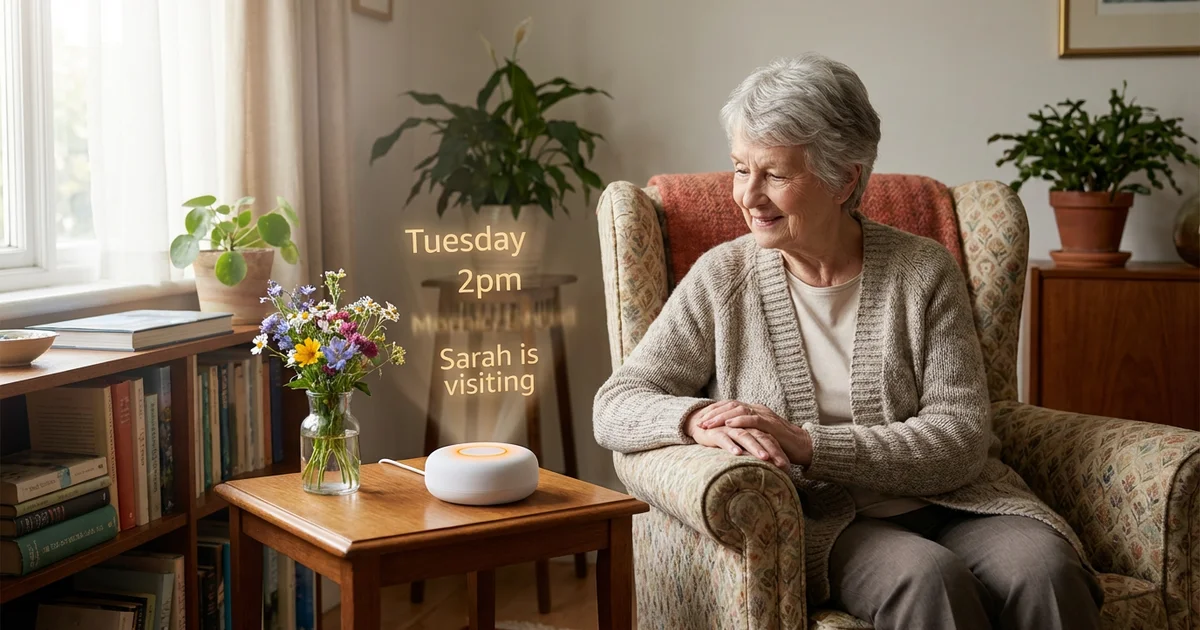
Best suited for
Someone in the mild to moderate stages of dementia, living at home (alone or with a partner), for whom reading a clock — or making sense of a written calendar — has become difficult.
Why we built this
RemindMeVoice is a voice reminder device built for someone you love with dementia — for families who want spoken reminders without a screen, a wake word, or a complicated smart speaker setup.
Many families want a simpler way to help a loved one living with dementia stay oriented during the day. Phones and devices are too complicated. For many people with dementia, even reading a clock or a simple display can become difficult — the information is there, but making sense of it isn't always easy.
RemindMeVoice removes that barrier entirely. There's nothing to read. Just press a button and hear what matters today — a calm, friendly voice reads out the time, the day, any plans, and helpful prompts.
Family members manage the calendar remotely — no need to be there in person to update reminders. It's designed for calm, everyday support at home.
Who's behind this?
I'm Michael, based in Cambridge, UK. I have a Computer Science PhD and have spent two decades in tech and research. I've built assistive tech before this — it's an area I really care about.
More importantly: my mother lives with dementia. RemindMeVoice started because the existing tools — phones, apps, smart speakers, even the dedicated dementia day-clocks — kept failing her. A button on her kitchen table that just talks worked. That's when I knew it was worth building for others.
How it works
Three simple steps — nothing more is needed.
You add plans
Keep their calendar up to date in a simple companion app — from any phone or laptop.
Button is pressed
Your relative presses the button once — that's the only thing they need to do.
A voice reads today
A calm voice reads the time, the day of the week, today's plans, and any helpful prompts.
What it helps with
Time and day
Always starts with the time and day — a gentle daily orientation.
Today's plans
Appointments, visits, and reminders read aloud in plain language.
Helpful prompts
Customisable messages: bedtime nudges, reassurance, and more.
Peace of mind alerts
An email at a time you choose if the button hasn't been pressed — a gentle heads-up, so you know when to check in.
Managed remotely
Family updates the calendar from anywhere — no visit needed.
One-button simplicity
No apps, no menus, no remotes. Just one button to press.
Why not just use…?
Honest comparisons with the other things families try.
…a dementia clock or day clock?
Dementia clocks, day clocks and reminder clocks help many families — until reading the screen itself becomes a struggle. RemindMeVoice speaks instead, so it can still be useful when reading a display has become difficult. And family can update prompts remotely — no driving over to change a setting. (Read on: see our full guide to dementia clocks.)
…a smart speaker?
Smart speakers — and newer "AI voice companions" — ask the person to remember a wake-word (e.g. "Alexa"), formulate a question, and wait. That's exactly the part dementia erodes. RemindMeVoice asks for one thing: press the button. Nothing to remember, nothing to say. (For more depth: see our full guide to Alexa and smart speakers for elderly parents.)
…an AI companion device?
Conversational hubs add shopping lists, chat, music and check-in dialogues. At the moderate stage that breadth becomes confusing, not helpful. We deliberately do one thing — orientation, reminders, and peace of mind — so it keeps working as things change.
…a tablet app?
Tablets need charging, Wi-Fi troubleshooting, and screen interaction. That's a lot of cognitive load. With RemindMeVoice, the family gets the app — the person with dementia gets a button.
When this may not be the right tool
Worth being honest about — for some situations, RemindMeVoice isn't the right answer.
RemindMeVoice is probably not right if:
- You need emergency monitoring or a personal alarm
- A missed reminder would create serious medical risk
- Your relative is no longer able to form or keep a simple button-press habit
- There's no reliable Wi-Fi, or no family member able to manage reminders remotely
- You need fall detection, wandering alerts, medication safety monitoring, or urgent care support
RemindMeVoice is designed for routine support, reassurance, and daily orientation. It is not a medical device, an emergency system, or a replacement for care.
Try a custom voice — free
See if it fits before committing to anything.
The caregiver app is free to use. Create an account, set up the voice, listen to a sample, and add a few reminders — the easiest way to see whether RemindMeVoice is right for your family before buying anything.
If you decide it fits, you can buy a button from inside the app — it's posted to your door, ready to set up.
Try a custom voice for free →No card needed · No commitment · Delete your account any time
Pricing
Simple: buy the button, then a small monthly fee.
- £79 — the button (one-off) Includes the device and your first 30 days of service.
- £14.99 / month — after your first 30 days Covers all your buttons for one person. Cancel any time.
The monthly fee starts when you set up your button — not when you buy. Need more than one (e.g. kitchen and bedroom)? Add up to five for the same person, at the same price.
Want to build something yourself?
If you're comfortable with Home Assistant, the same family setup is also published as DIY guides — including a simple TV setup for elderly parents that replaces the remote with six coloured buttons.
DIY voice reminder button →
Build a Home Assistant voice reminder using Google Calendar and the HA Voice PE.
DIY TV buttons →
Build colour-coded TV buttons for someone who struggles with normal remotes or smart-TV menus.
Dementia clock vs voice button →
Understand when dementia clocks help, and when spoken reminders may work better.
Alexa for elderly parents →
An honest UK guide to Alexa, Echo Show and smart speakers for elderly parents — what works, and where it stops.
Questions
Who is this for?
What is a voice reminder device?
What does the button actually do?
Do I need to buy a device?
Can a caregiver manage reminders remotely?
Is this available now?
How much will it cost?
How is this different from Alexa, an Echo Show or an AI voice companion?
How is this different from a dementia clock or day clock?
What does the £14.99 a month pay for?
What if they forget the button is there?
Does it need Wi-Fi?
Is it always listening? What about privacy?
Does the device have a microphone?
Can I get help paying for it?
What if my relative's dementia gets worse?
What happens if my relative passes away?
Is this a medical device?
Still have a question?
Can't find your answer above? Get an instant reply from our assistant — or send us a message and we'll get back to you by email.
Thanks — we'll be in touch
We'll reply by email. If you'd like to try the voice in the meantime you can sign up free — no card needed. Any questions, email hello@remindmevoice.com.